
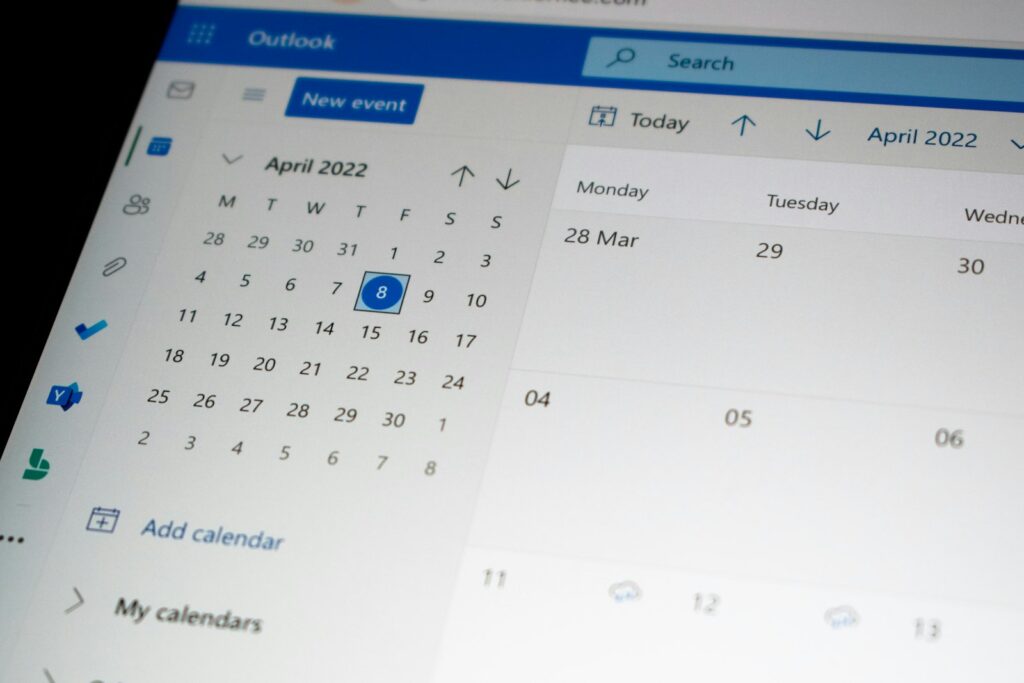
If your day still starts with a phone that keeps ringing, a paper diary, or a long thread of “are you free on Thursday?” messages, you are paying for appointments with your own time. An online appointment booking system lets customers pick a time that suits them, 24 hours a day, while your calendar updates itself and reminders go out automatically. This guide explains how booking software works, which features are worth paying for, how to choose one, and how to avoid the mistakes that cause new systems to fail.
What Is an Online Appointment Booking System?
An online appointment booking system is software that shows your real availability on a booking page or a widget on your website, and lets customers reserve a slot without calling or messaging you. When someone books, the system checks your working hours, your existing appointments and any buffer time you have set, then confirms the booking by email or text and adds it to your calendar.
How Does Appointment Scheduling Software Work?
The flow is simple. You define your services, how long each one takes, who delivers it and when they are available. Customers open your booking page, choose a service and a time, and enter their details. The system blocks that slot in real time so nobody can book appointments that overlap, sends a confirmation, and queues email and text reminders before the visit. If the customer needs to reschedule, they use a link in the message and the old slot opens up again for someone else.
Which Businesses Benefit Most?
Any business that sells time benefits: clinics and dental practices, salons and barbers, consultants and coaches, tutors, photographers, repair shops, fitness studios and agencies that run discovery calls. If you answer the same scheduling questions several times a day, a booking system will pay for itself quickly.
Key Features to Look For in Booking Software
Almost every tool claims to be the best, but a handful of features decide whether the system actually saves you time. Use this list when you compare options.
24/7 Online Booking and a Branded Booking Page
Customers often decide to book outside office hours, in the evening or on a weekend. A custom booking page that matches your brand, or a booking widget embedded on your site, captures those bookings instead of losing them to a competitor who answers first. Make sure the page works well on a phone, because that is where most customers will use it.
Automated Reminders by Email and SMS
Reminders are the single most effective feature for reducing no-shows. A good system sends a confirmation straight away and a reminder a day or a few hours before the appointment, and includes a one-tap link to confirm, reschedule or cancel. Look for customizable message wording and timing, not just a fixed template.
Calendar Sync and Real-Time Availability
Two-way calendar sync with Google Calendar, Outlook or Apple Calendar prevents double bookings. If you block time for lunch, a personal appointment or an off-site job in your own calendar, the booking page should reflect that immediately. Without proper sync you will eventually double-book a customer, and that is worse than having no system at all.
Online Payments and Deposits
Letting customers pay when they book, or leave a deposit, changes behaviour. People who have paid are far more likely to show up, and you are protected if they do not. Check that the system connects to a payment processor such as Stripe or PayPal, supports full payment or a deposit, and lets you set clear refund rules.
Staff, Services and Buffer Times
If you have a team, you need individual calendars, different services per person and the ability to let customers choose a specific staff member or “anyone available”. Buffer times between appointments give you room to clean up, travel or write notes, and they stop your day from turning into a back-to-back sprint.
Integrations and Reporting
Useful integrations include your email marketing tool, your CRM, video-call links for remote sessions and Google Analytics so you can see which pages and campaigns produce bookings. Basic reporting on the number of bookings, cancellations and no-show rate shows you whether the system is working.
How Booking Systems Reduce No-Shows
No-shows cost you twice: the lost revenue, and the empty slot that another customer could have used. An online booking system attacks the problem from several directions at once.
Reminders Do the Chasing for You
Most no-shows are not malicious; people simply forget. A timely reminder with an easy way to cancel or move the appointment turns many would-be no-shows into rescheduled bookings, and the freed slot can be filled by someone from your waitlist.
Deposits and Cancellation Policies Create Commitment
A small deposit and a clearly stated cancellation window, shown during booking and again in the reminder, sets expectations without awkward conversations. Keep the policy simple and fair: for example, free changes up to 24 hours before, and a deposit that is forfeited after that.
Easy Rescheduling Beats Silent Cancellation
If cancelling requires a phone call, customers who feel awkward simply do not turn up. When rescheduling takes ten seconds from a link in the message, they use it, and you keep the booking.
How to Choose the Right Appointment Booking System
There is no single best tool for everyone. The best appointment scheduler is the one that fits how your business actually runs. Work through these questions before you commit.
Start With Your Workflow, Not the Feature List
Write down how a booking currently moves from enquiry to completed visit. Where do customers get stuck, and where do you lose time? A solo consultant needs a simple calendar link and payments. A clinic with several practitioners needs shared resources, intake forms and strict privacy controls. Choose for the problem you have today and the one you expect in a year.
Free Plans, Paid Plans and Hidden Costs
Many tools offer a free plan that is fine for one person with simple needs. Check the limits before you rely on it: number of bookings, number of staff, reminders per month, payment fees and whether the booking page carries the vendor’s branding. Compare the total monthly cost including payment processing, not just the headline price.
Standalone Tool or Built Into Your Website?
A standalone tool is quick to start with. A booking system built into your own website gives you more control over design, data and the customer journey, and it avoids sending visitors to a third-party page. If your site runs on WordPress, you can add a booking plugin or have one custom-built so that appointments, payments and reminders all live in one place.
Test Before You Commit
Use the free trial. Book a few test appointments yourself on a phone, change one, cancel one, and pay a test deposit. Ask a friend to do the same without any instructions. If they struggle, your customers will too.
Setting Up Online Booking on Your Website
A system is only useful if customers can find it. Here is a practical setup sequence that works for most small businesses.
Step 1: Define Services, Durations and Availability
List every service with a clear name, duration, price and any preparation the customer needs to do. Set realistic working hours and add buffer time. It is better to open fewer slots and keep them reliable than to offer everything and run late.
Step 2: Add the Booking Page Where Customers Look
Put a clear “Book now” button in your website header, on every service page and in your email signature. Add your booking page URL to your Google Business Profile and social media bios, because many customers book straight from those profiles. If you want visitors to stay on your site, embed the booking widget on a dedicated page rather than linking away.
Step 3: Connect Payments, Calendars and Reminders
Connect your calendar first, then your payment account, then customize the confirmation and reminder messages so they sound like you and include your address, parking or video-call details. Send yourself a test booking to check every message.
Step 4: Review the Numbers Monthly
Look at bookings per week, no-show and cancellation rates, your busiest and quietest times, and which services sell best. Adjust your availability, pricing and reminder timing based on what you see. Small changes, such as moving reminders from 12 hours to 24 hours before, often make a visible difference.
If you would rather not wire all of this up yourself, Khetta builds and customizes an appointment booking system on top of your website, and our WordPress development team can connect it to payments, calendars and your existing pages.
Common Mistakes to Avoid
Making Customers Create an Account
Forcing sign-up before booking is the fastest way to lose a customer. Ask for the minimum: name, contact details and anything you genuinely need to deliver the service.
Ignoring Time Zones and Working Hours
If you serve remote clients, confirm that the booking page shows times in the customer’s own time zone and that confirmation emails state the zone clearly. Also double-check your real working hours, including holidays and breaks, before launching.
Setting and Forgetting
Booking tools need occasional care: update services and prices, check that integrations still work after software updates, and keep your site secure. A regular website care plan keeps the booking page fast and working, which matters because a broken booking form means lost revenue you will never see.
Frequently Asked Questions
What is the best appointment booking system?
There is no universal winner. The best system is the one that matches your business size, services and budget: simple scheduling links for solo professionals, richer staff and resource management for teams and clinics, and a custom or website-integrated solution when you need full control of the customer journey.
Can customers pay when they book online?
Yes. Most modern booking tools connect to payment processors so customers can pay in full or leave a deposit at the time of booking, which also reduces no-shows.
Can an online booking system sync with my calendar?
Yes. Two-way sync with Google Calendar, Outlook or Apple Calendar keeps your availability accurate and prevents double bookings, including time you block for personal commitments.
Is free appointment booking software good enough?
For a single person with simple needs, often yes. As soon as you need multiple staff, custom branding, advanced reminders or detailed reports, a paid plan or a custom system usually becomes worth the cost.
Conclusion: Let Your Calendar Work While You Do
An online appointment booking system gives customers the convenience they expect and gives you back the hours you spend on scheduling. Start with your workflow, choose the features that solve your real problems, turn on reminders and deposits to protect your time, and review the numbers every month. Do that, and the booking system quietly becomes one of the most profitable tools in your business.
